Do common tasks in the MeshCore app
Choose the task you need. These screenshots show one MeshCore mobile app layout; names and positions may move in another app version.
Before you start
- Connect the app to your companion.
- Confirm the companion can send and receive locally.
- Do not post private keys, passwords, or precise private locations in a shared screenshot.
Share your contact link
Use this when another person needs to add you as a contact.
-
Open the MeshCore app and connect to your companion.
-
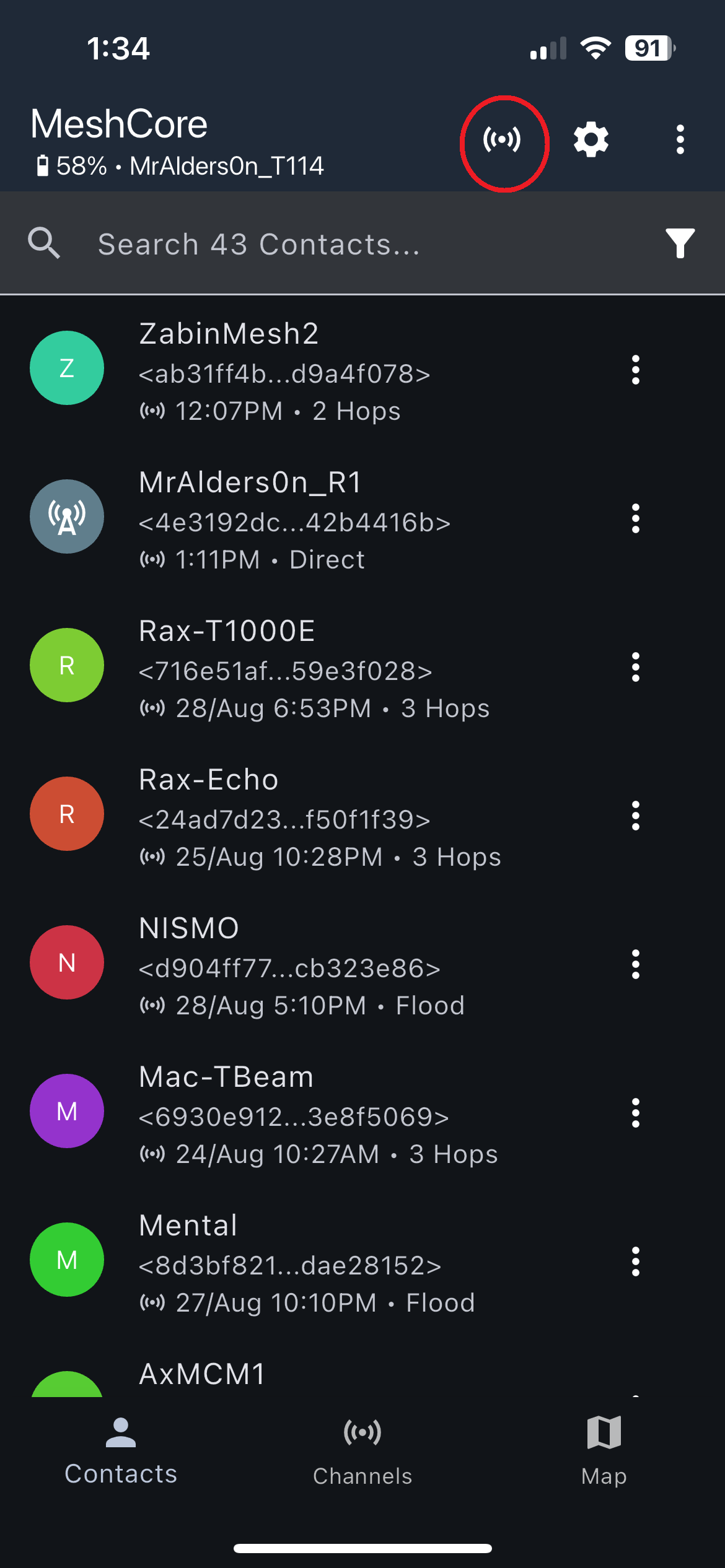
Open the Signal screen.
-
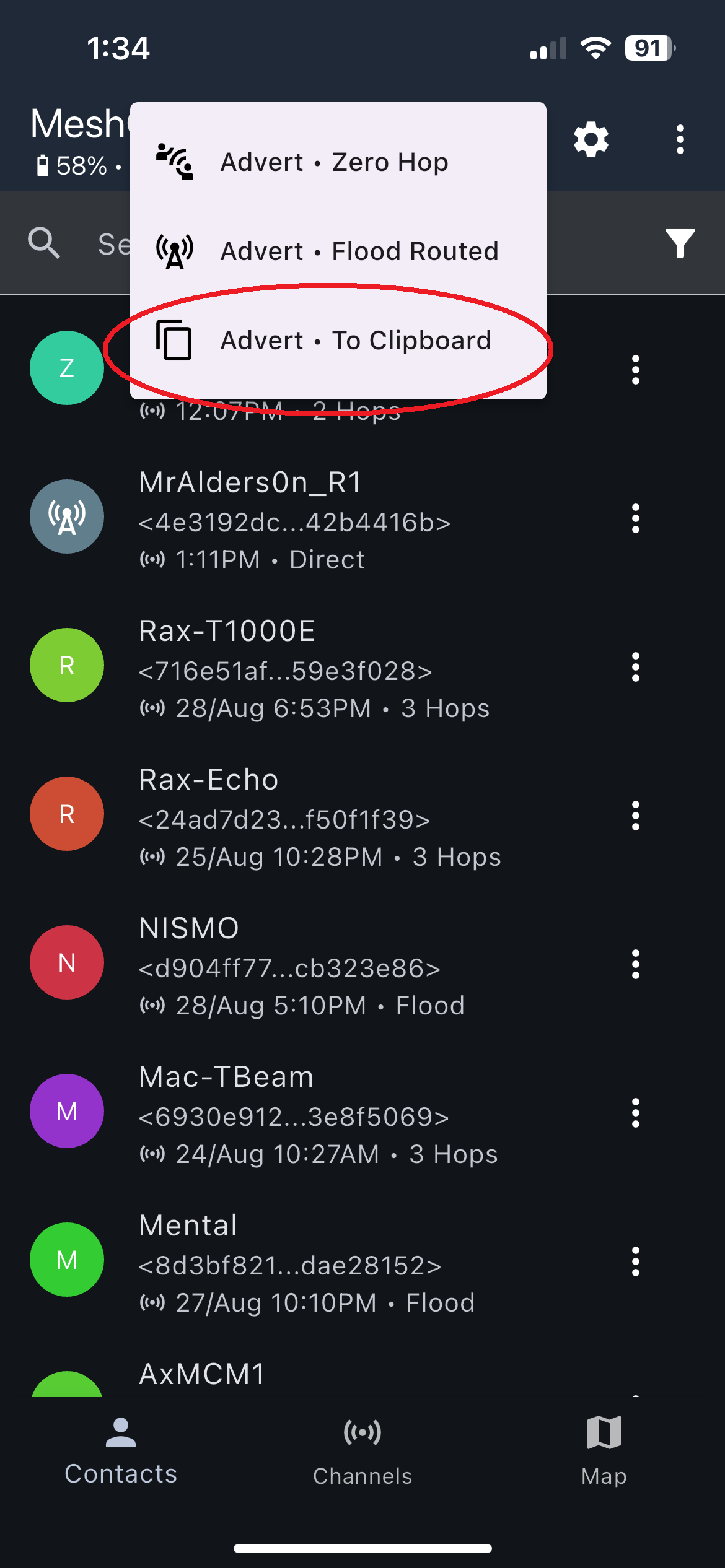
Select Advert, then To Clipboard.
-
Paste the contact link into the conversation where you intend to share it.
The clipboard now contains a contact link that another MeshCore user can import.
Import a contact link
Use this after another person sends you their MeshCore contact link.
-
Copy only the contact link, then connect the app to your companion.
-
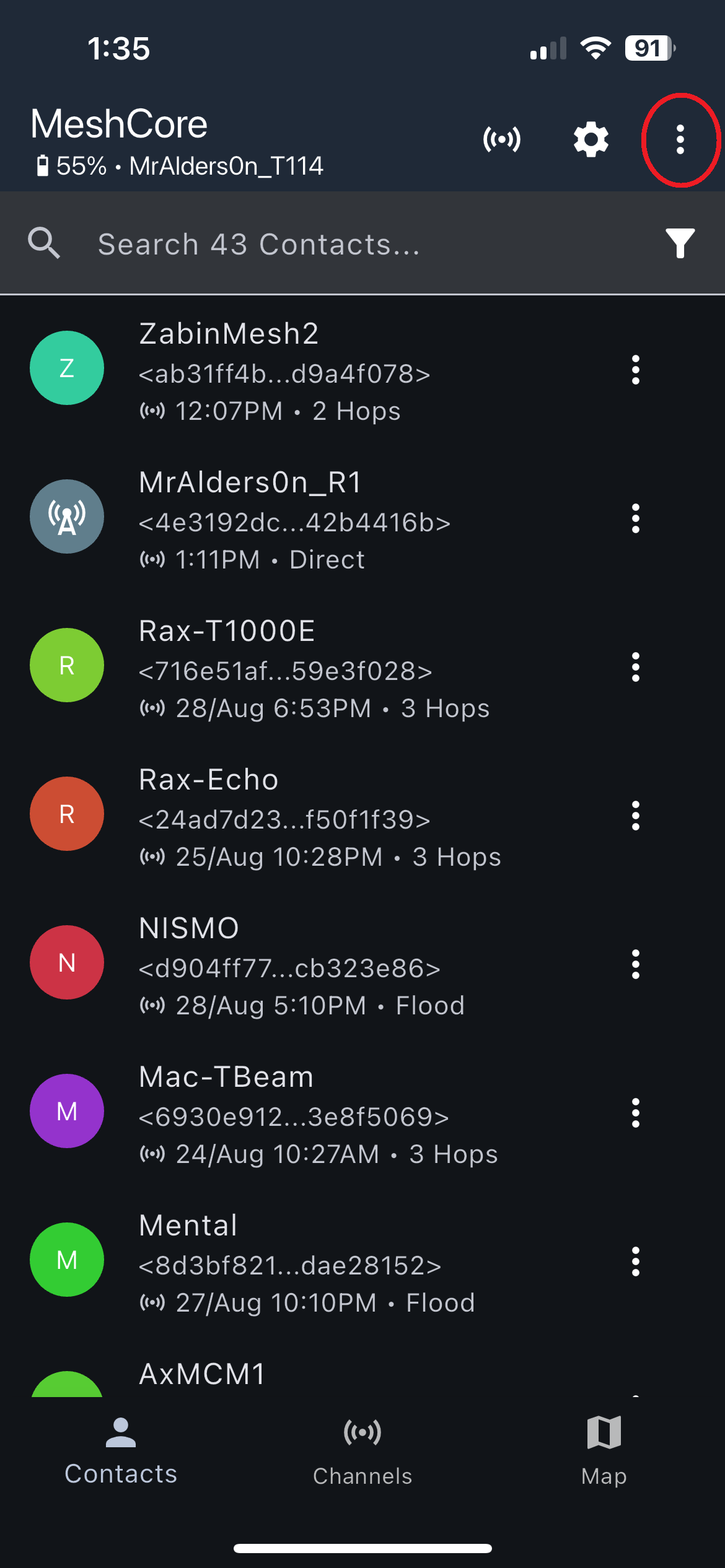
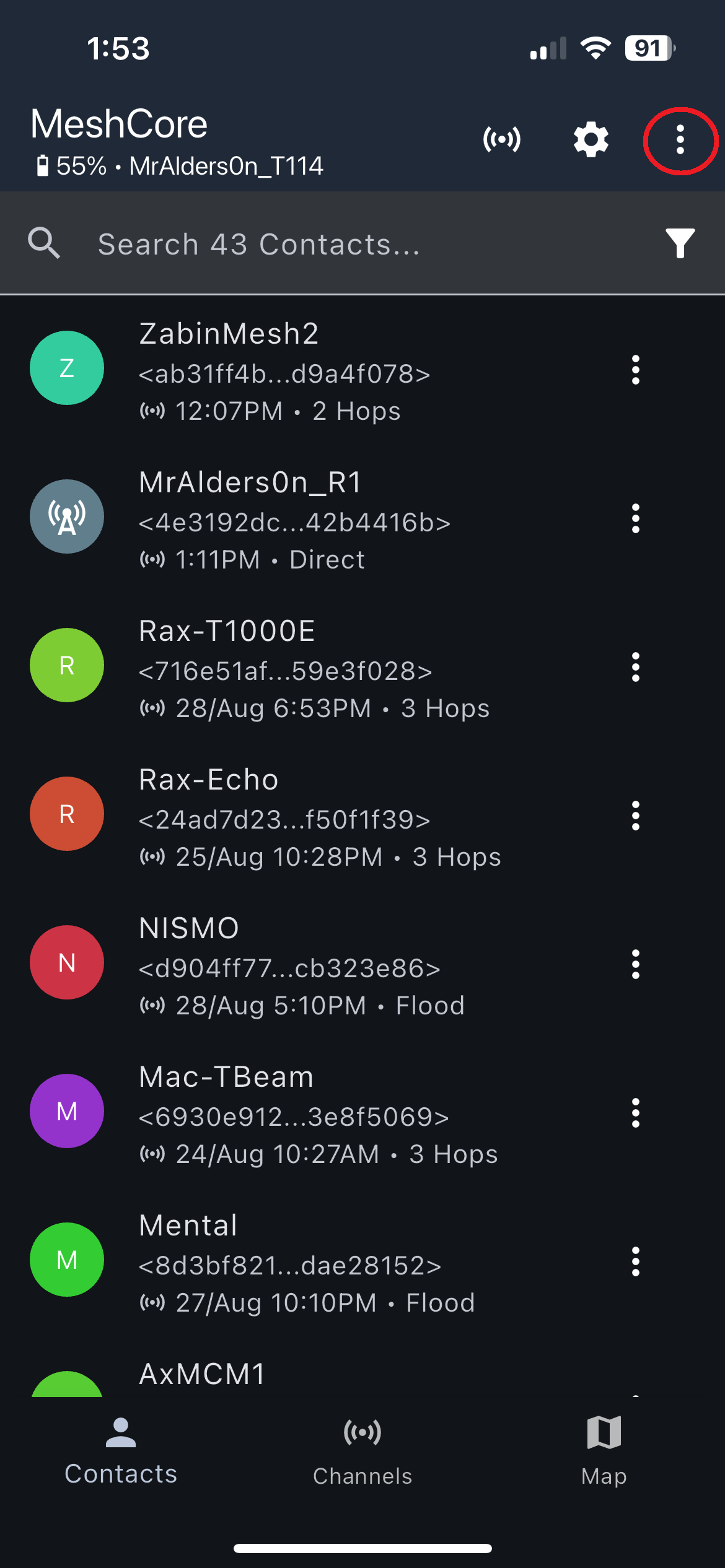
Open the three-dot menu.
-
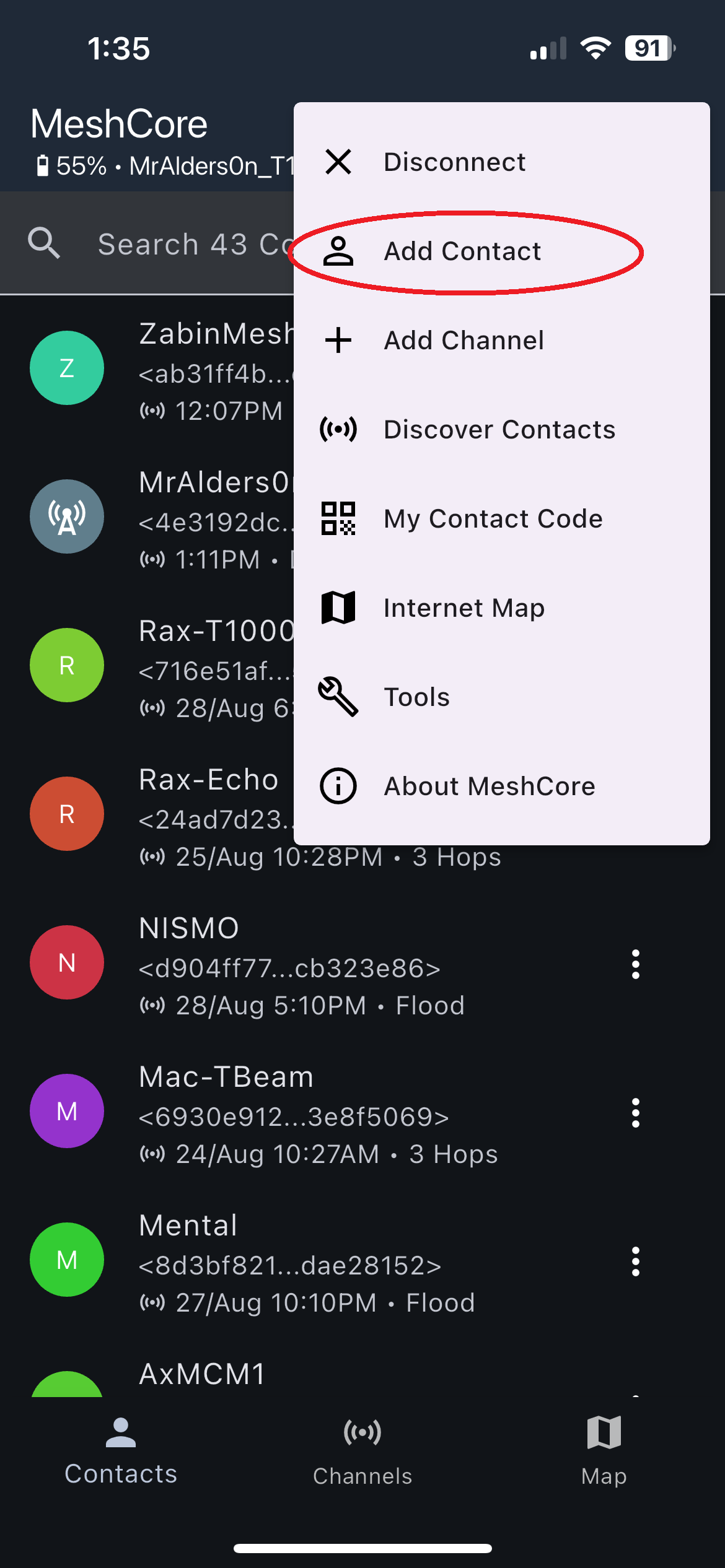
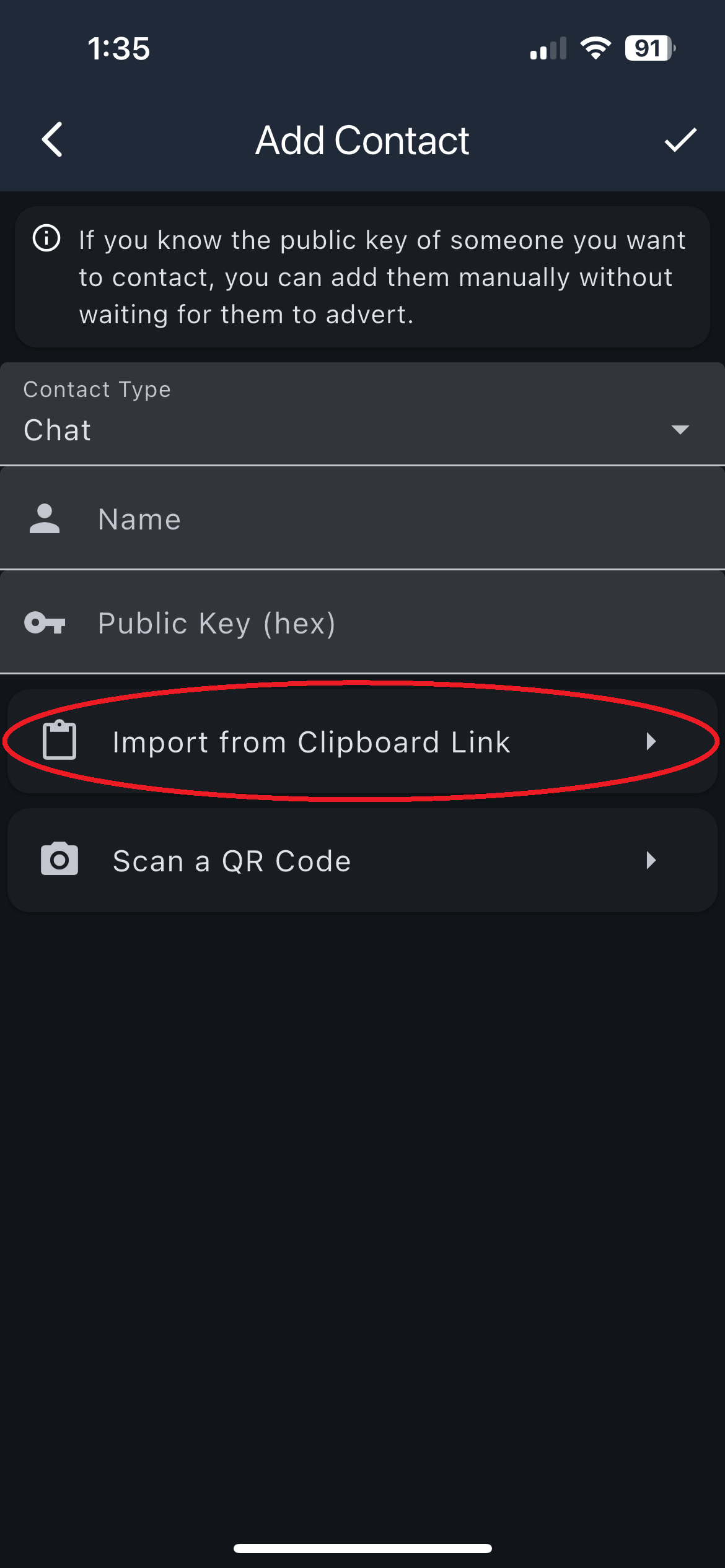
Select Add Contact.
-
Select Import from Clipboard Link.
-
Wait for the success message and the new-contact notice.
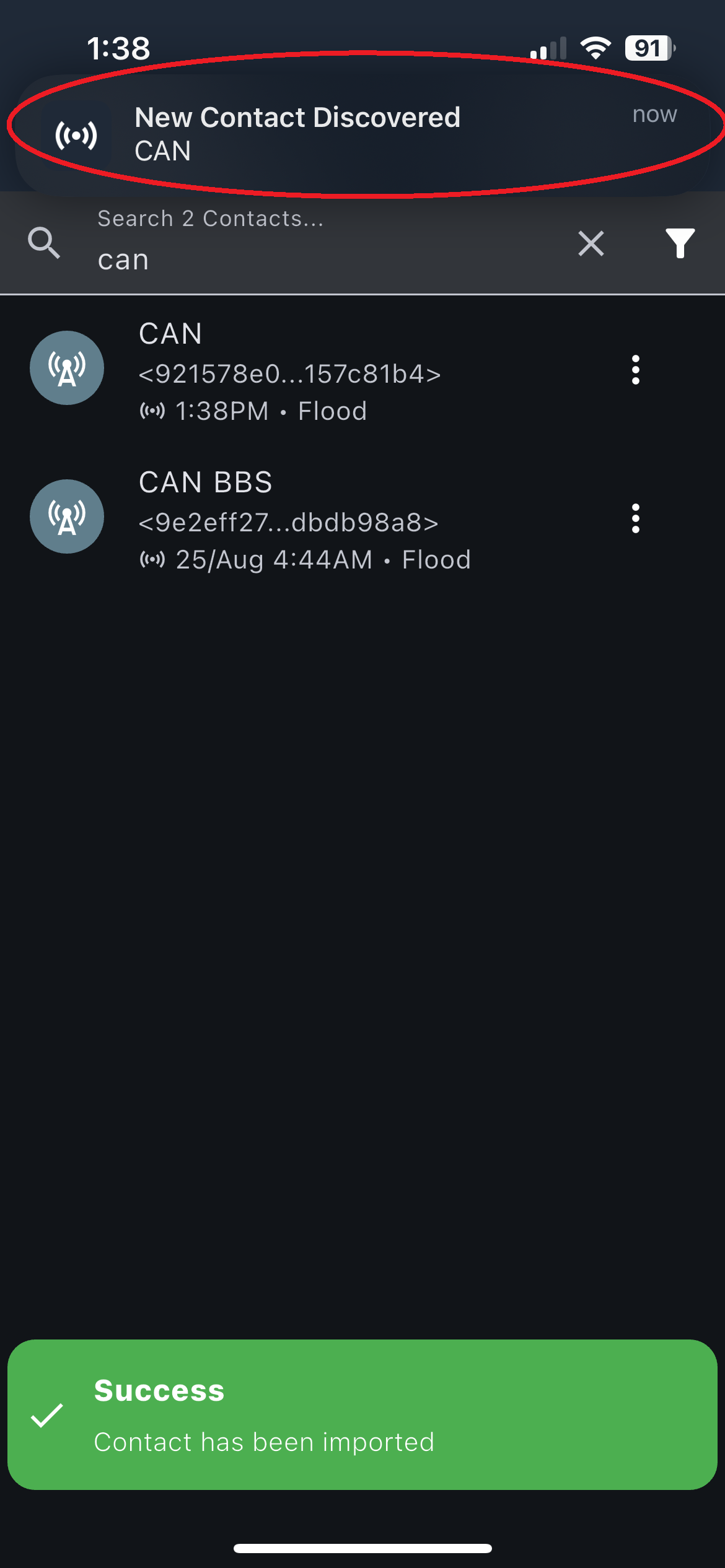
The named contact now appears in your contact list.
If the import fails, copy the original link again without extra words or punctuation. Ask the sender for a new link if it still fails.
Trace a path
A manual trace tests the repeater sequence you select. It does not guarantee that later messages will use the same path.
Open the trace tool
- Connect the app to your companion.
-
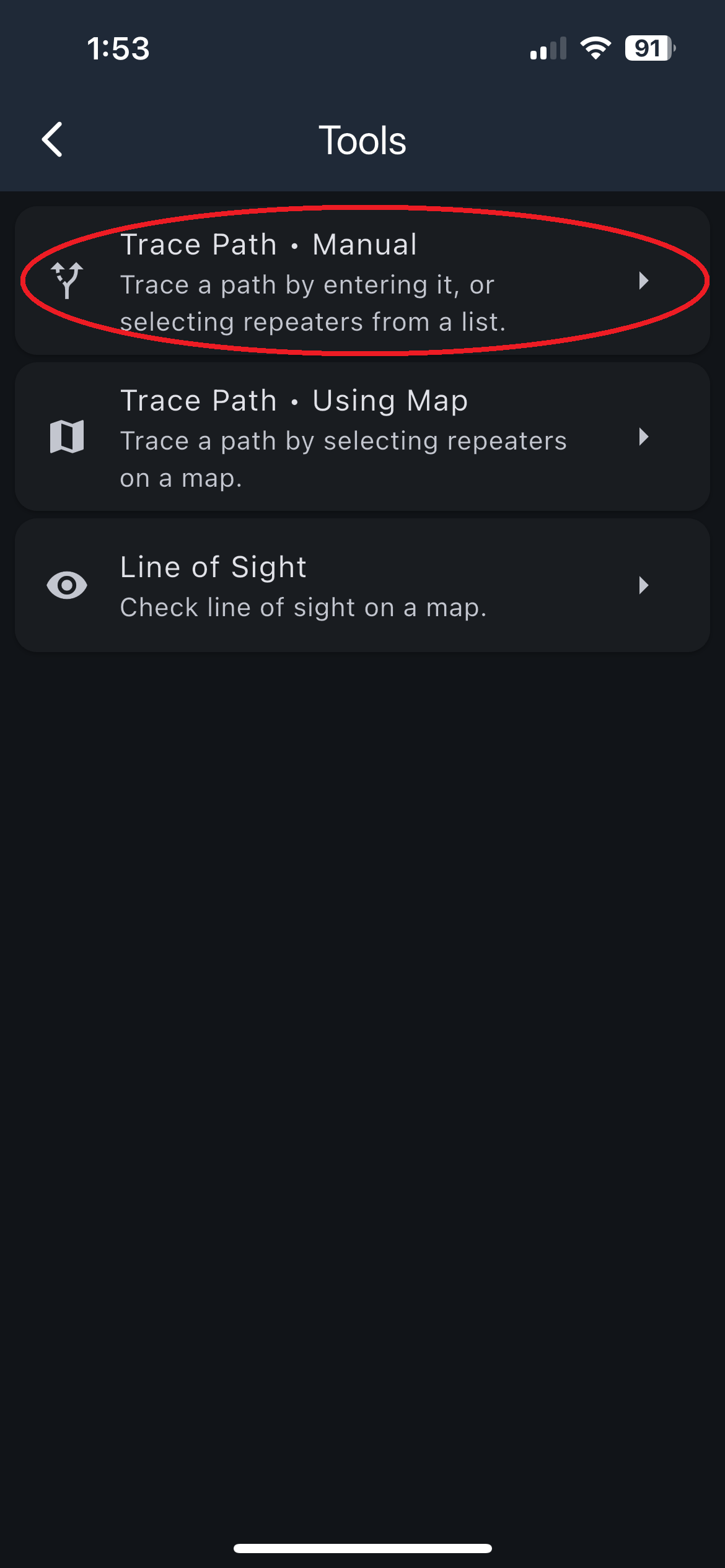
Open the three-dot menu.
-
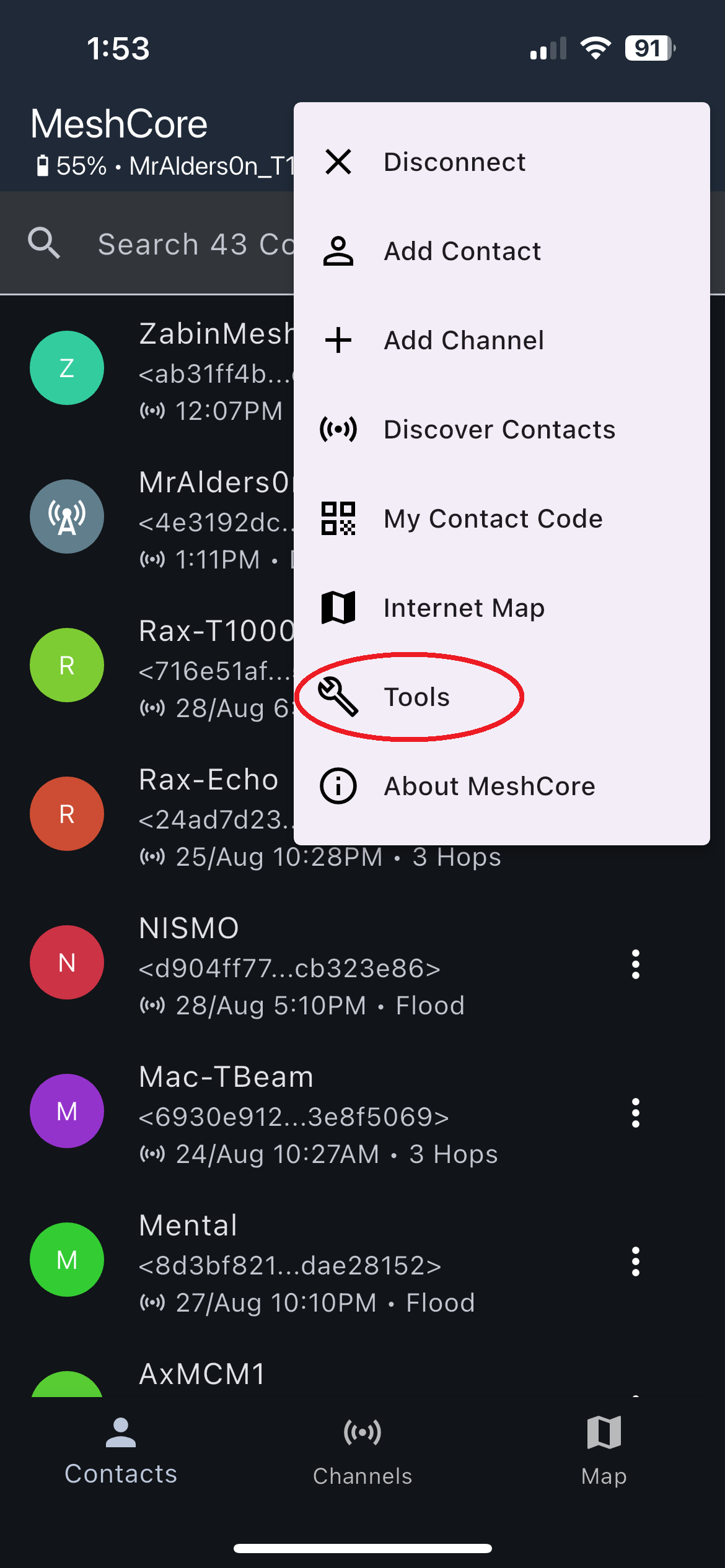
Select Tools.
-
Select Trace Path - Manual.
-
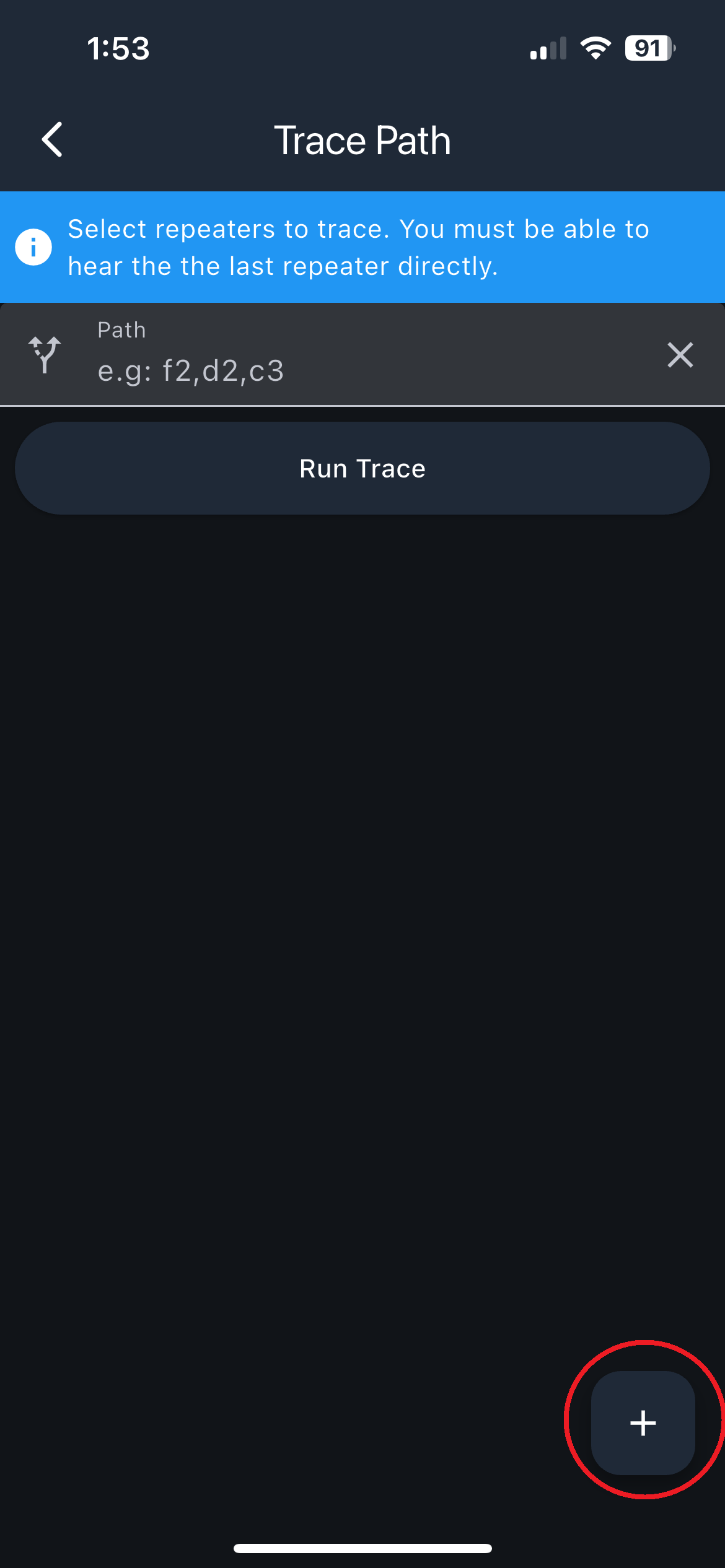
Select the plus button to add a repeater.
Trace one repeater
-
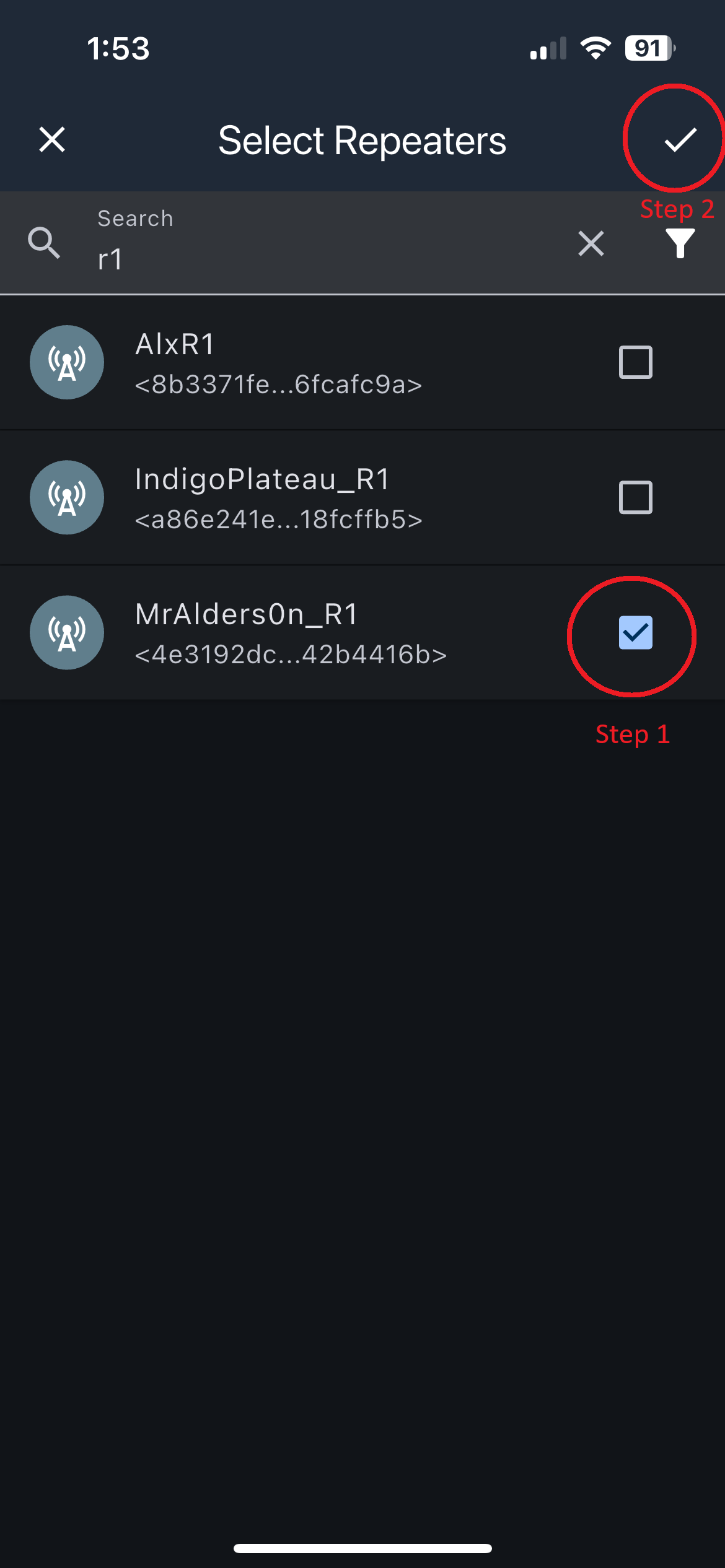
Add one repeater and make sure its identifier is correct.
-
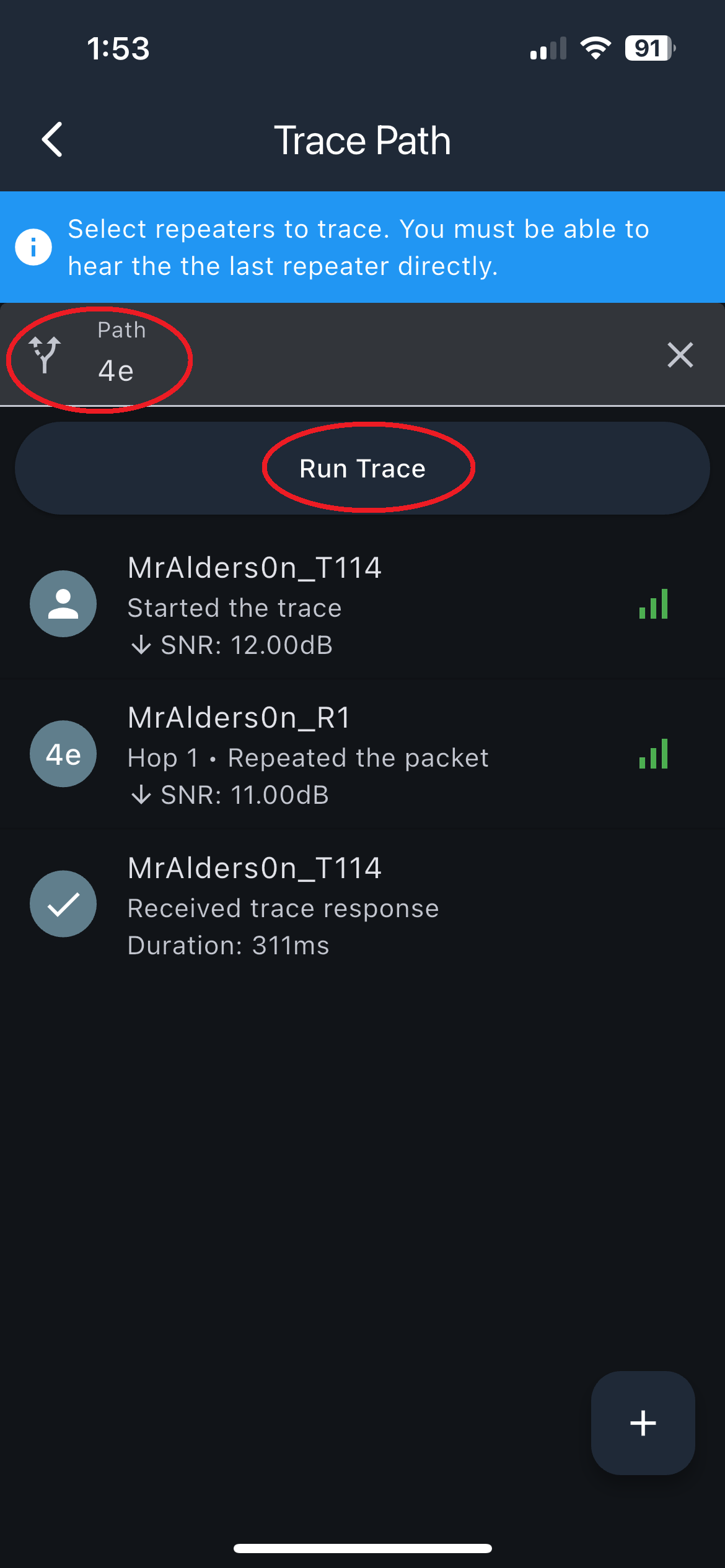
Select Trace Path.
Trace through several repeaters
- Add the repeaters in the forward order required by the path.
-
Add the return sequence shown by your local path plan.
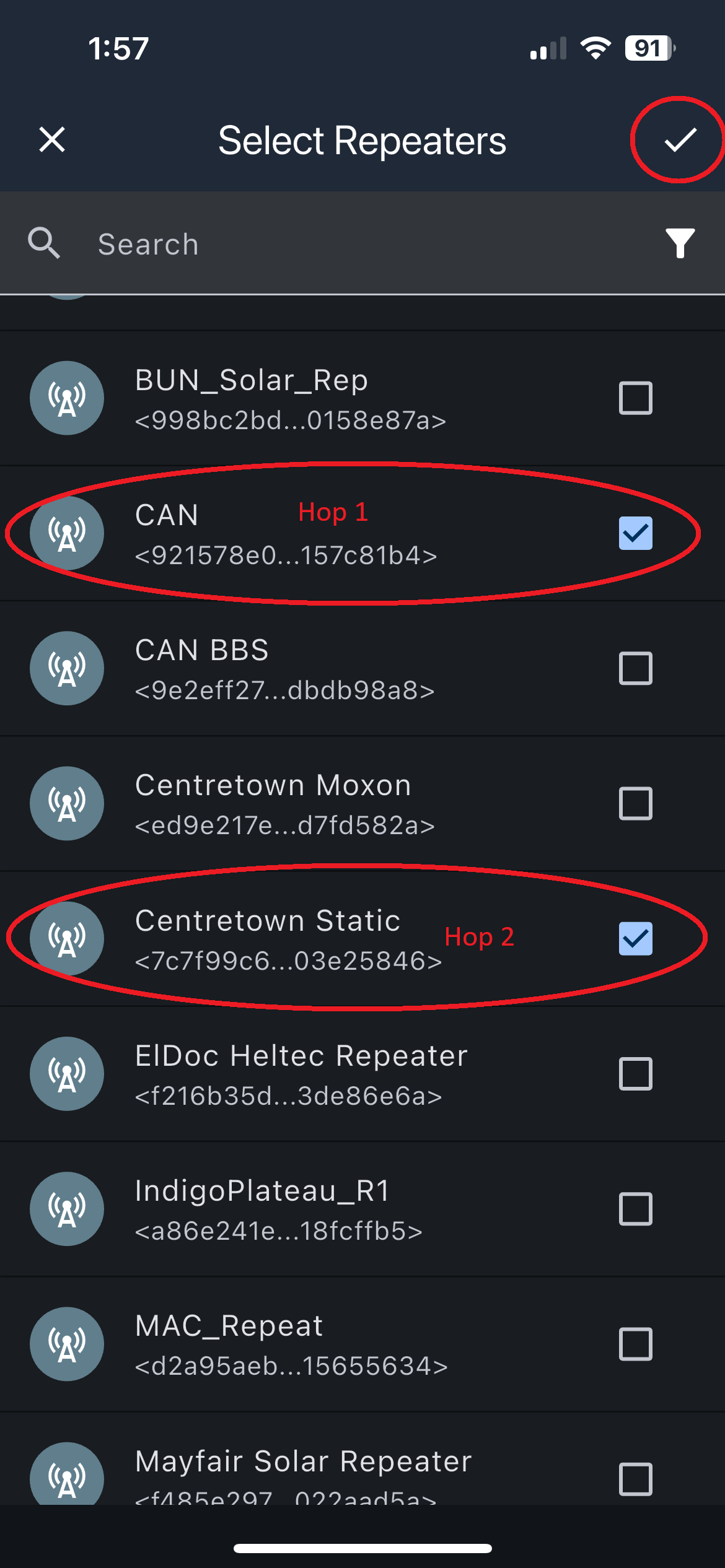
-
Review the complete sequence, then select Trace.
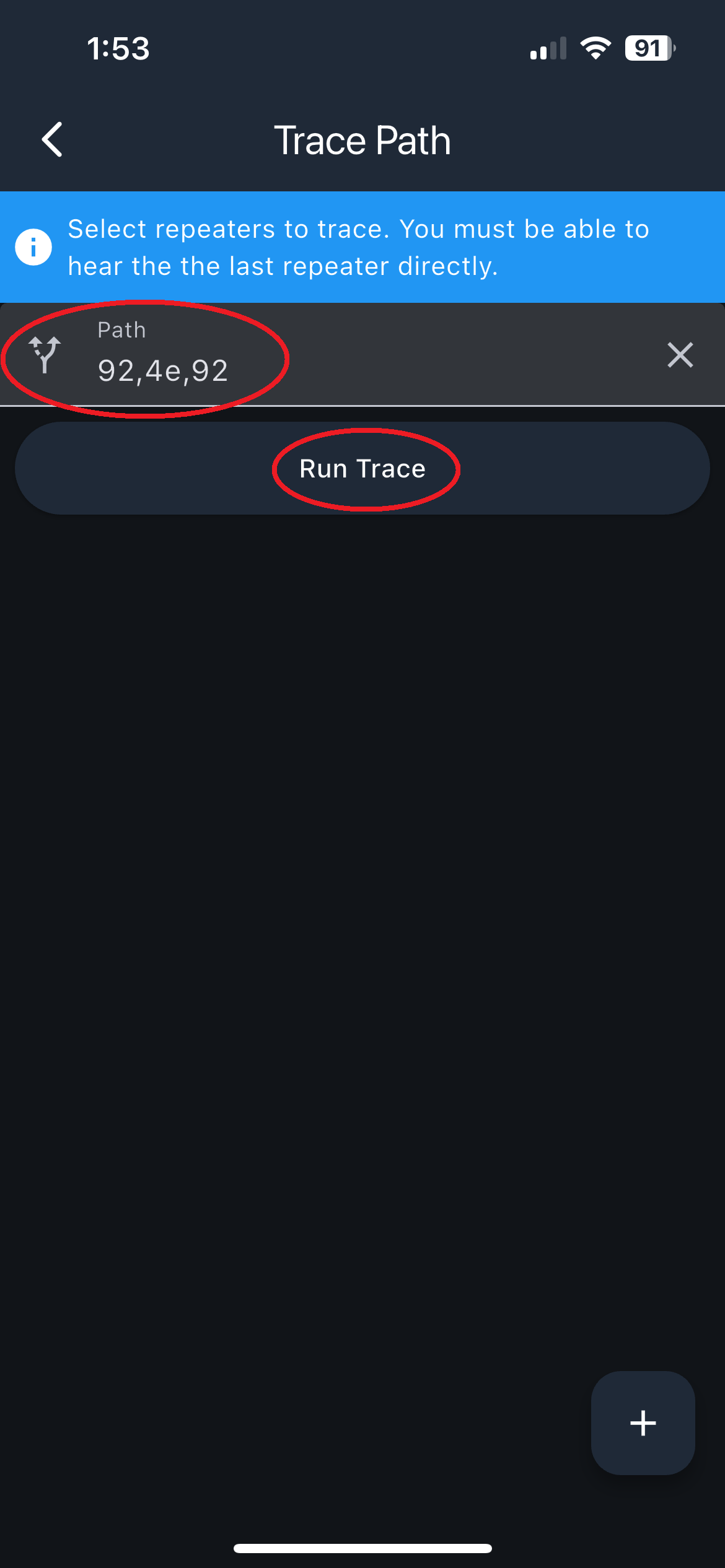
-
Read the result.
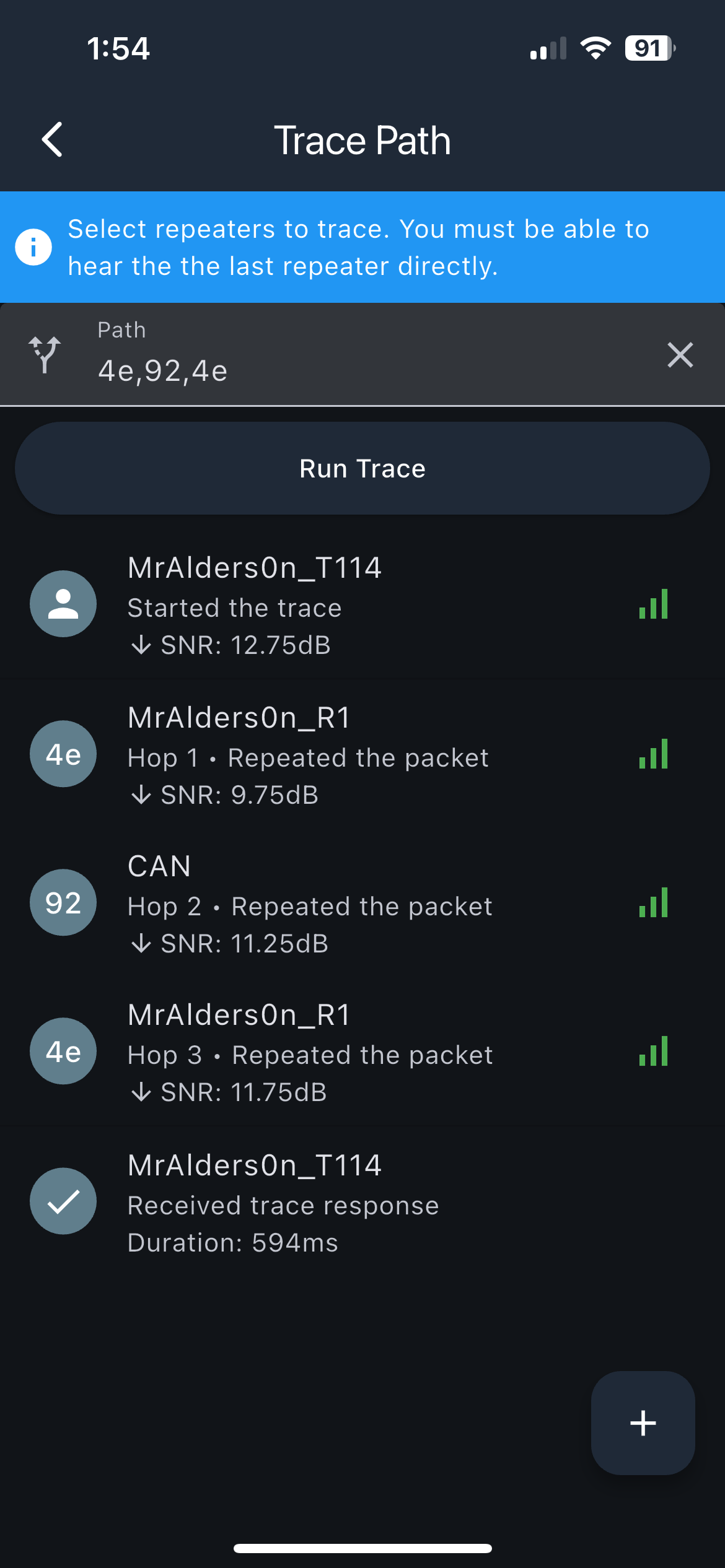
If you do not know the forward and return sequence, ask the local community instead of guessing repeater identifiers.
Check heard repeats
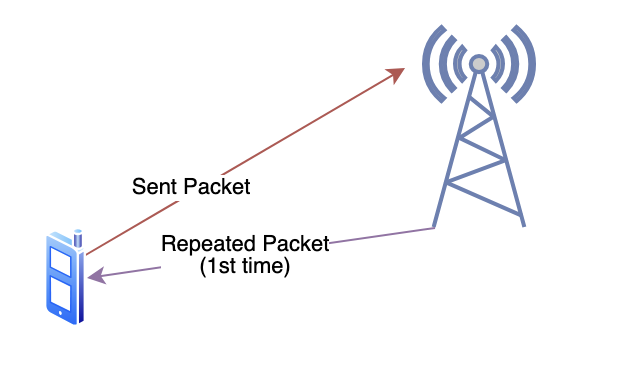
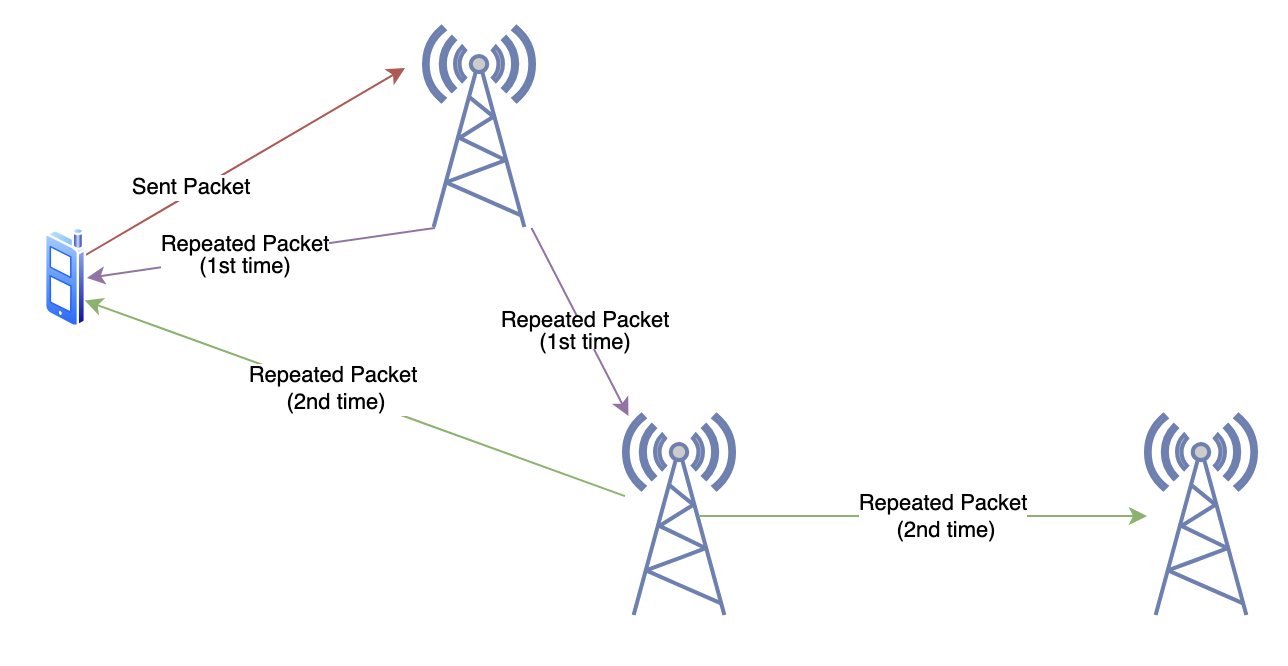
A heard repeat means your companion received a repeated copy of a packet it sent. A missing repeat does not by itself show where the packet failed: the repeater may not have heard the packet, or your companion may not have heard the repeated copy.
- Send a message in the intended channel.
-
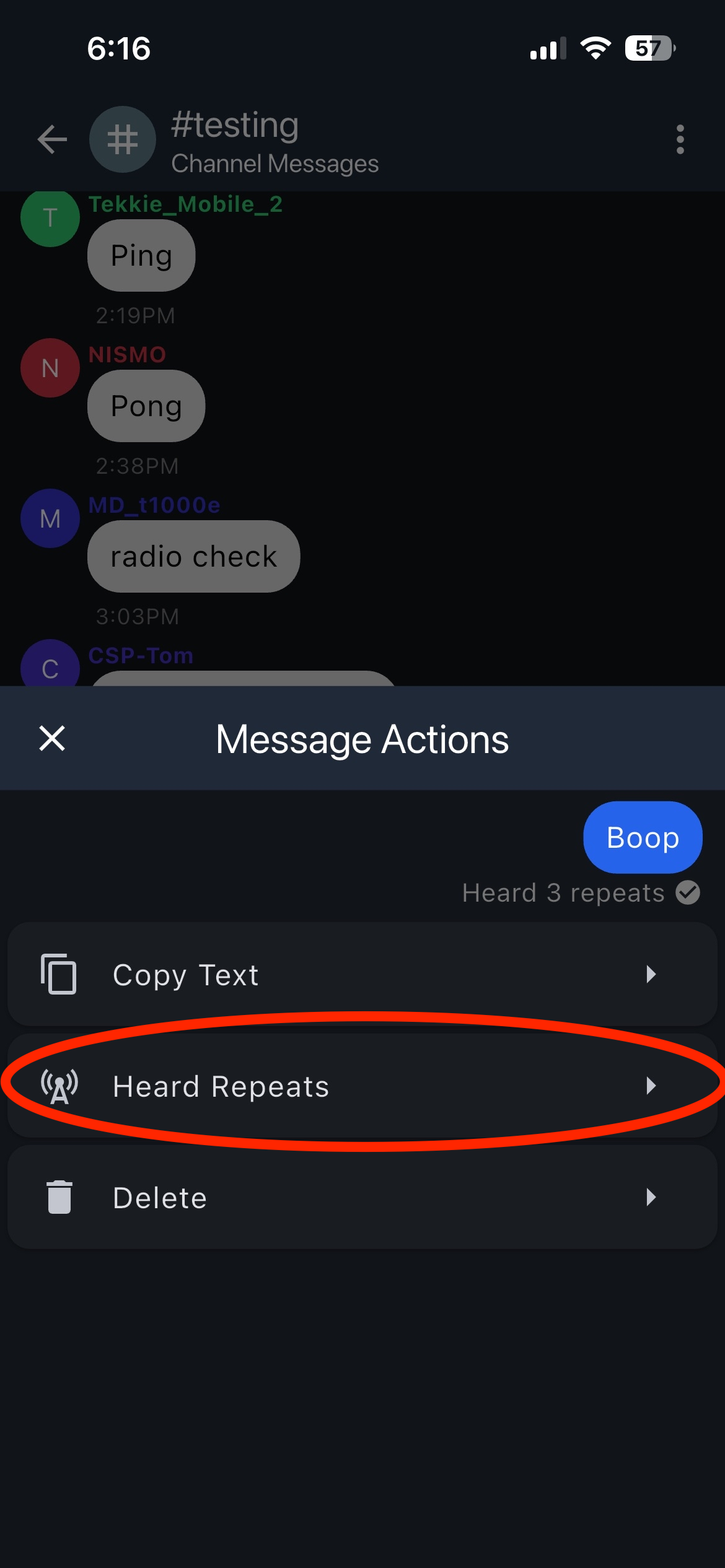
When Heard n repeats appears below the message, press and hold the message.
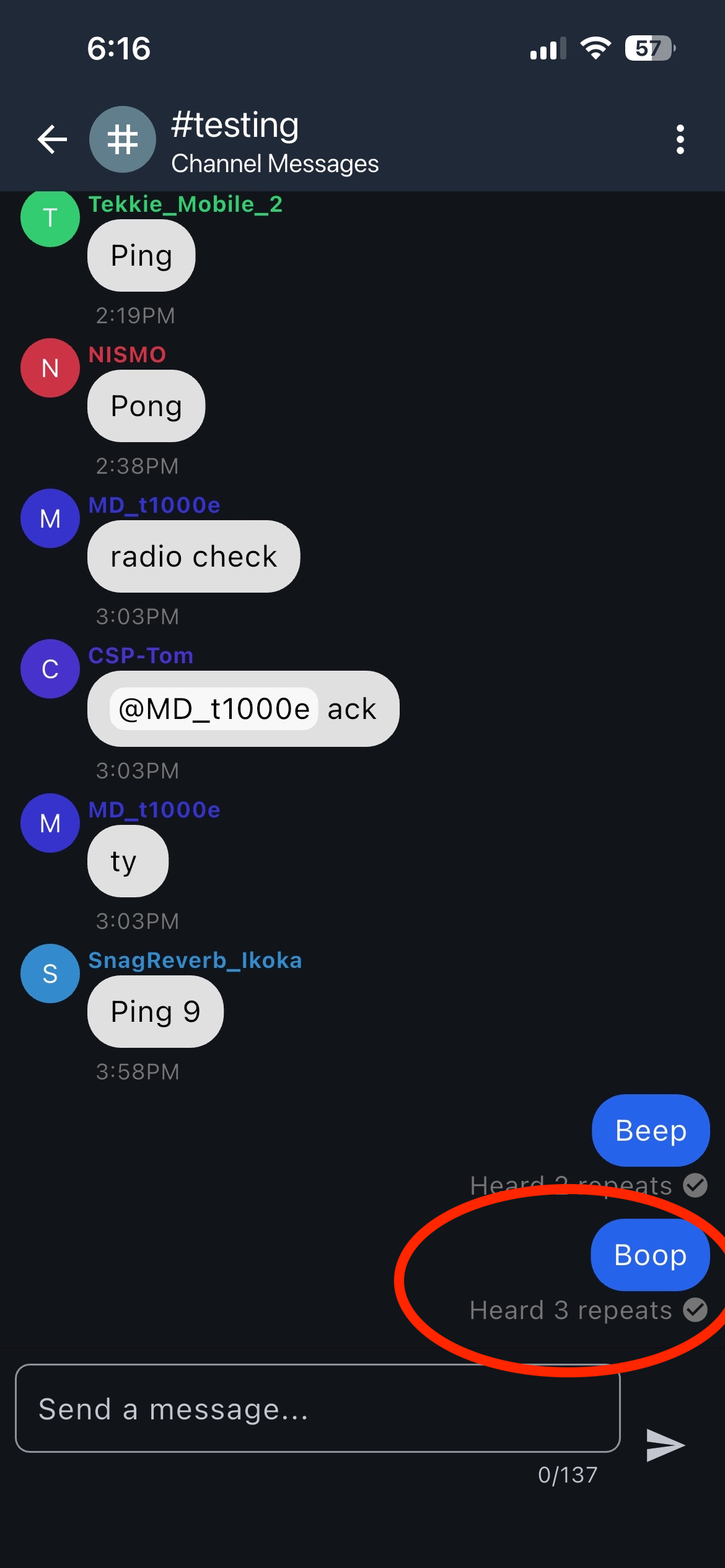
-
Select Heard Repeats.
-
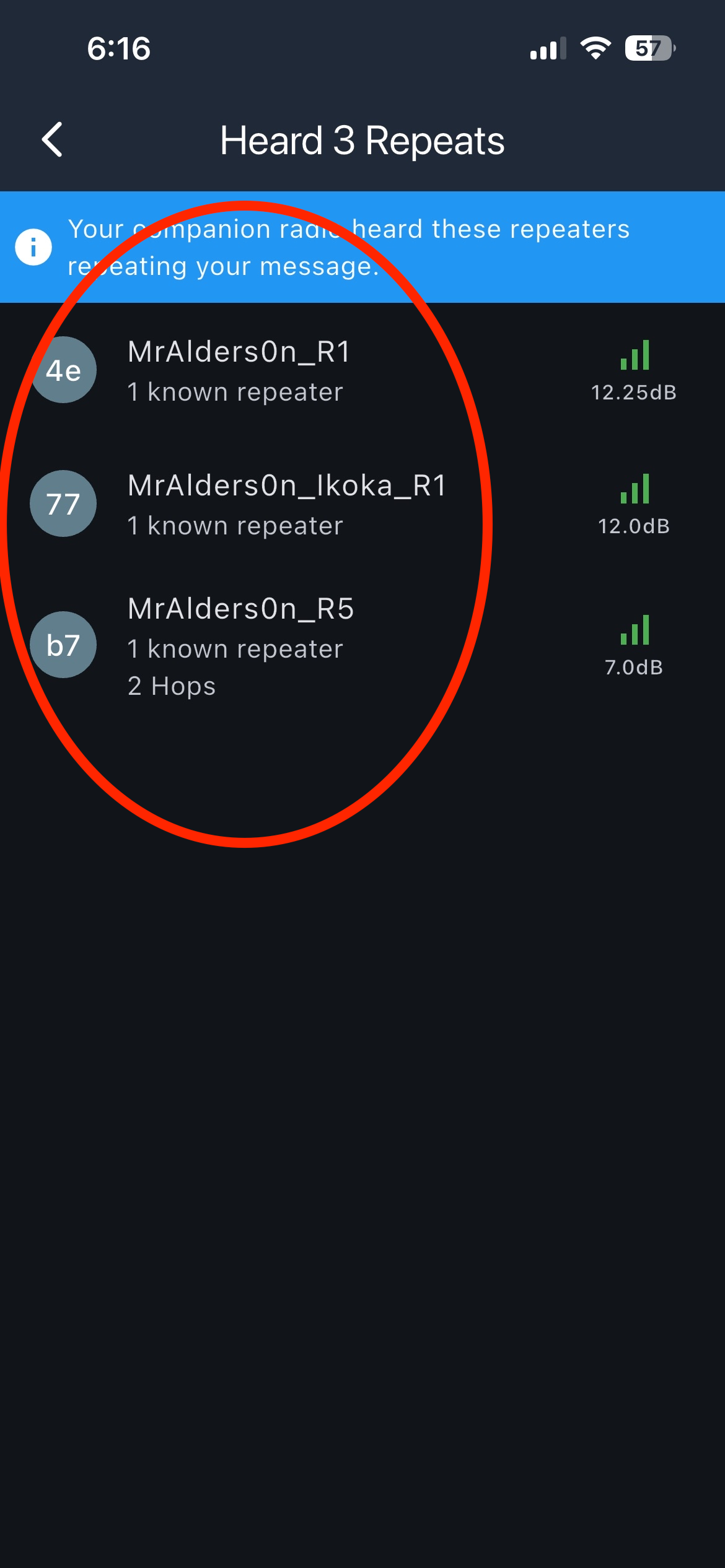
Review the repeaters your companion heard for that packet.
-
Select a repeater to inspect the reported path.
Example: direct repeat

Example: multi-hop repeat

Need help?
If a result is missing or unclear, compare one known-good nearby node and then use Get help. Include the task and step where you stopped, but remove sensitive values before sharing a screenshot.