NeonPocketMC pocket mesh mark

MeshCore firmware family

Release-candidate stack

One bright interface.
Every role in its lane.

NeonPocketMC is a pinned release catalog and firmware family for Heltec RC52, RCC6, WiFi LoRa 32 V3, and WiFi LoRa 32 V4. The experimental Ultimate Companion v2 pushes the RCC6 into a smooth standalone messenger, network explorer, and diagnostics console without mixing hardware or install paths.

There is no universal image. Match hardware and role exactly.

4
hardware targets
6
source histories
28
installable files
2
display families
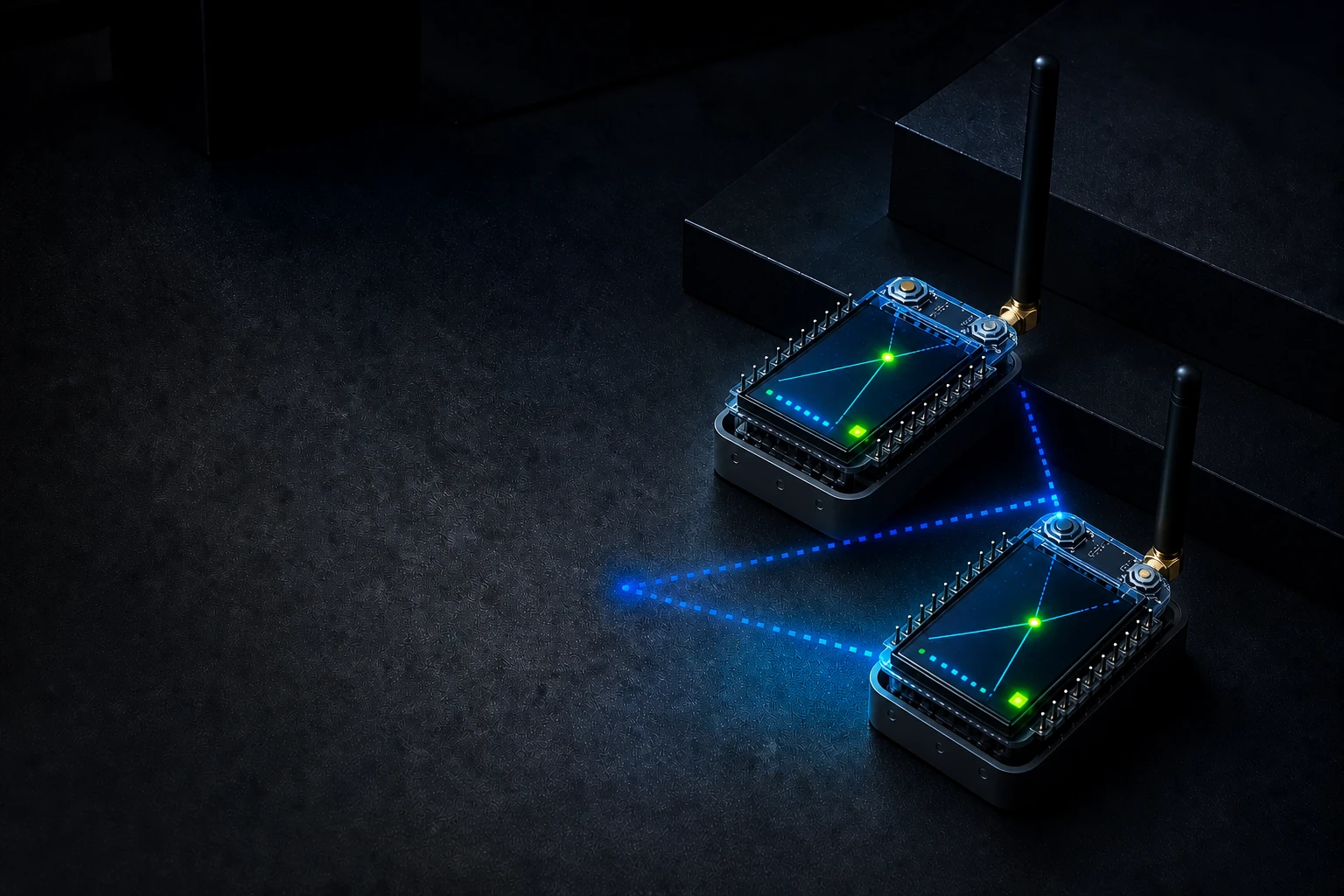
Two compact RadioCore mesh devices linked by cyan and cobalt packet paths
RC52 RCC6 V3 V4 One visual system

The stack

Purpose-built firmware, shared NeonPocket character.

Separate images keep each chip, transport, and runtime cost honest. The shared catalog keeps releases, source commits, filenames, sizes, and checksums in one place.

01

Native pocket UI

Companion builds bring Home, Inbox, Nearby, RF, Power, notifications, and a procedural demo-scene boot to the 220×128 TFT or integrated 128×64 OLED.

02

Companion choices

RC52, Heltec V3, and Heltec V4 stay focused on secure BLE. RCC6 offers separate BLE and trusted-LAN Web/AP images instead of a compromised all-in-one build.

03

Service roles

Run a low-overhead repeater or choose headless and TFT Room Server profiles, with explicit minimal and full-network lanes on RCC6.

04

Web + MQTT

Full RCC6 service builds add authenticated local Web management and one-way MQTT observation with Canadian broker defaults.

05

Fail-closed storage

Valid storage mounts untouched. A damaged nonblank partition is not silently formatted, protecting identity, contacts, channels, and preferences.

06

Exact release catalog

Every installable artifact is tied to its owning repository, release tag, source commit, byte size, and SHA-256 digest.

Four distinct firmware-role modules connected by NeonPocket mesh paths
Companion Repeater Room Server MQTT bridge

Demo-scene boot

From cold start to MESH READY.

A 3.2-second procedural sequence gives the pocket display its own identity before the radio settles into normal operation.

Direct RCC6 framebuffer capture of the NeonPocketMC demo-scene boot sequence
Direct RCC6 framebuffer capture 27 verified frames

Built frame by frame

  1. 01

    Vector pocket reveal Mesh nodes establish the visual system.

  2. 02

    Chromatic title glitch Star field, raster beam, and specular sweep build momentum.

  3. 03

    Staged link status Radio state resolves without delaying startup.

  4. 04

    MESH READY The sequence locks up before handing off to the live UI.

27
CRC32-verified frames
125 ms
capture interval
220×128
native framebuffer
3.87 s
GIF with final hold
Open capture provenance

Ultimate Companion v2 · live RCC6 interface

Six polished areas—and a one-button composer.

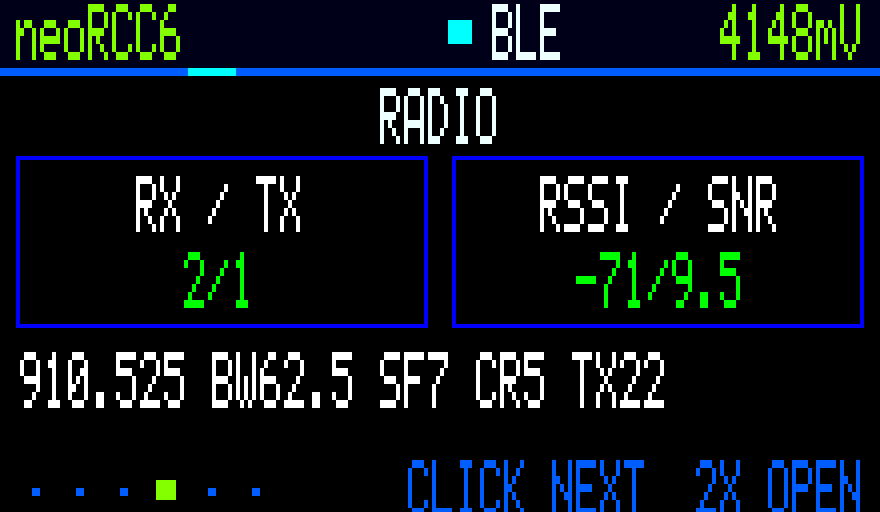
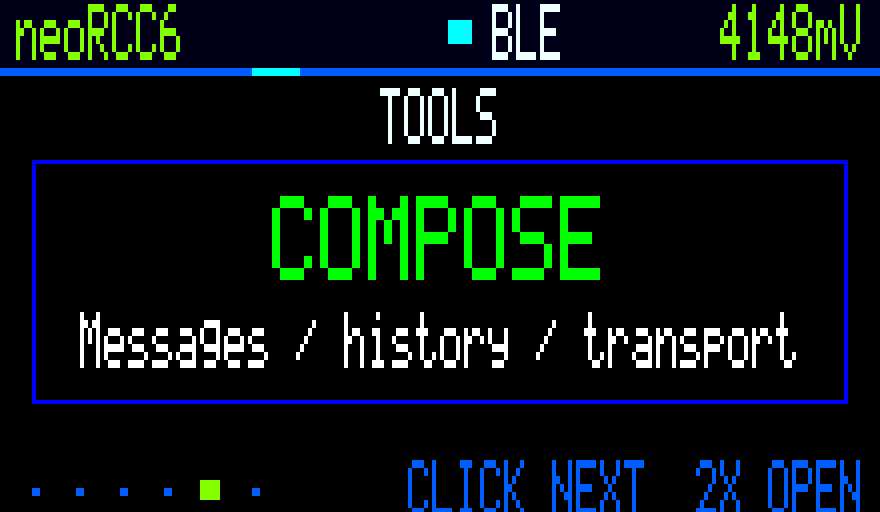
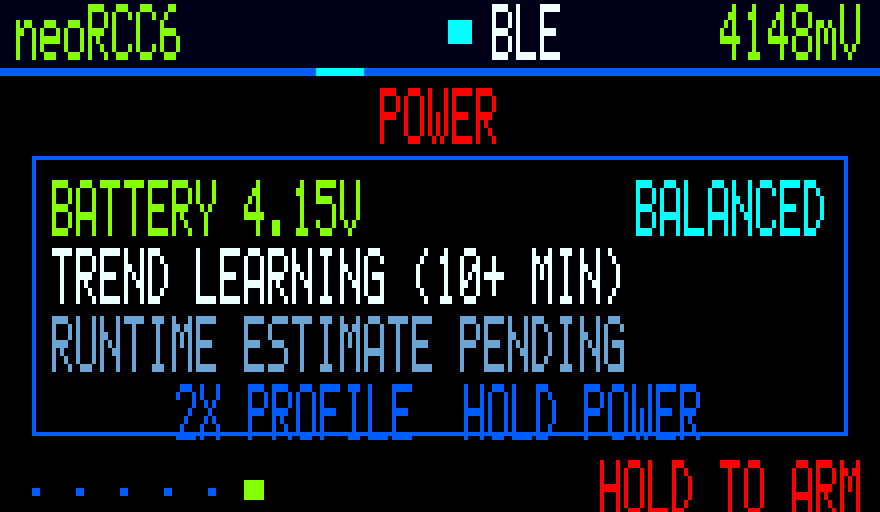
CRC-checked frames exported by the connected RCC6 and enlarged with nearest-neighbour scaling. These are device-rendered screens—not browser recreations or design mockups.

220×128 native pixels RCC6 ESP32-C6 8 verified screens Capture provenance
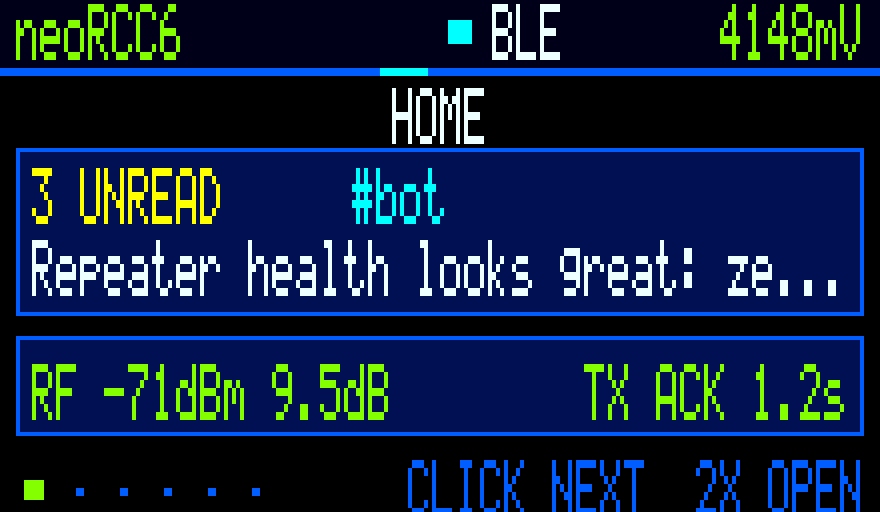
Ultimate Companion Home dashboard rendered by the RCC6
01 / HomeUnread, link and RF at a glance
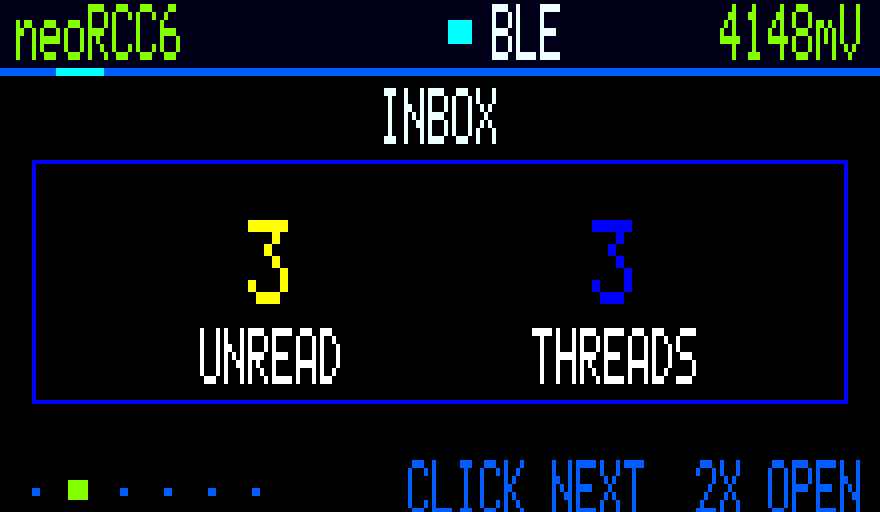
Ultimate Companion Inbox rendered by the RCC6
02 / InboxLocal threads and unread state
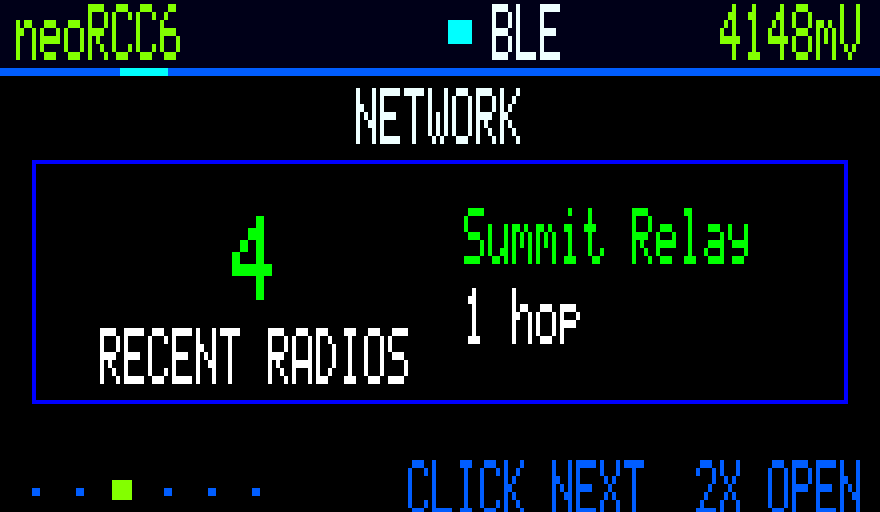
Ultimate Companion Network Explorer rendered by the RCC6
03 / NetworkRecently heard mesh radios
Ultimate Companion Radio telemetry rendered by the RCC6
04 / RadioLive and historical RF telemetry
Ultimate Companion Tools and composer launcher rendered by the RCC6
05 / ToolsComposer, history and diagnostics
Ultimate Companion Power screen rendered by the RCC6
06 / PowerDeliberate two-hold shutdown
Ultimate Companion target picker rendered by the RCC6
07 / TargetsRecent contacts and channels
Ultimate Companion quick phrase picker rendered by the RCC6
08 / PhrasesFast one-button replies

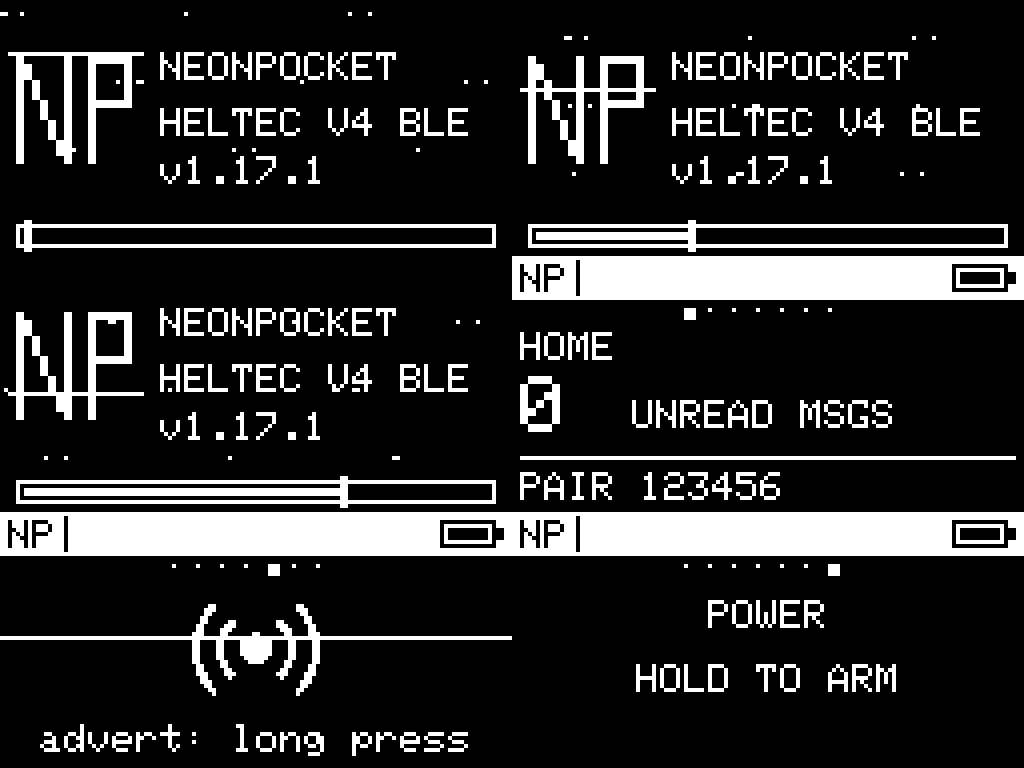
Live Heltec OLED companions

The same pocket language, distilled to 128×64.

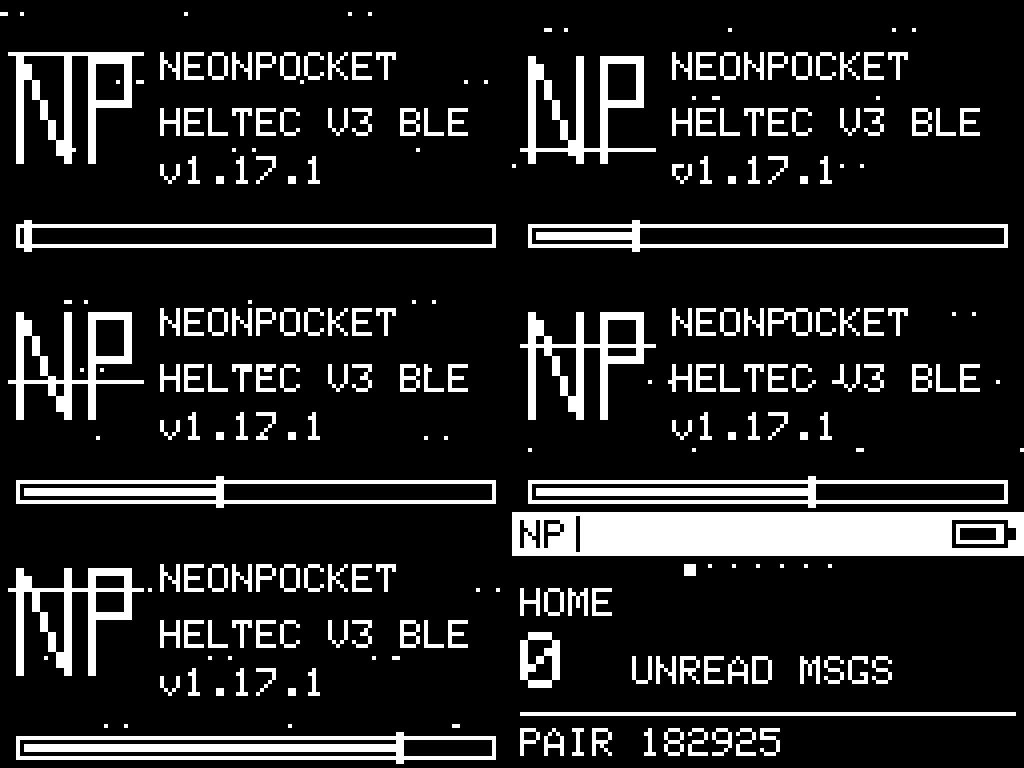
Both animations were exported from the connected qualification radios. These are checksum-recorded device frames—not browser mockups.

NeonPocketMC demo-scene boot and OLED pages captured from the Heltec V3
Heltec V3Live OLED boot and companion UI
NeonPocketMC demo-scene boot and OLED pages captured from the Heltec V4
Heltec V4/V4.3Live OLED boot and companion UI

Hardware lanes

Start with the chip in your hand.

RC52, RCC6, Heltec V3, and Heltec V4 use distinct hardware and release images. Their bootloaders, radio power paths, displays, and recovery rules are not interchangeable.

NeonPocketMC Home dashboard running on a RadioCore RC52 qualification unit nRF52840

RadioCore

RC52-L62

v1.1 RC2

Battery-conscious nRF52 lane for the BLE companion, a headless repeater, and headless or TFT Room Server roles.

  • MCUnRF52840
  • RadioSX1262
  • Normal installUF2 bootloader copy
  • CompanionBLE + TFT
RC52 companion release
Two compact RadioCore RCC6 devices with attached landscape TFTs ESP32-C6

RadioCore

RCC6-L62

v2 RC1 EXP

Connected ESP32-C6 lane for BLE or Web/AP companion modes, MQTT observation, repeating, and minimal or full Room Servers.

  • MCUESP32-C6
  • RadioSX1262
  • Normal installApp at 0x10000
  • CompanionBLE or Web/AP
Ultimate Companion release
NeonPocketMC Home screen captured from a Heltec WiFi LoRa 32 V3 OLED ESP32-S3

Heltec

WiFi LoRa 32 V3

v1.0 RC1

Focused BLE companion for the integrated 128×64 OLED, with the NeonPocket dashboard, inbox, advert control, power flow, and demo-scene boot.

  • MCUESP32-S3
  • Display128×64 OLED
  • Normal installApp at 0x10000
  • CompanionBLE
Heltec V3 release
NeonPocketMC Home screen captured from a Heltec WiFi LoRa 32 V4 OLED ESP32-S3 + FEM

Heltec

WiFi LoRa 32 V4

v1.0 RC1

BLE companion adapted to the V4 radio-power and front-end hardware while retaining the compact NeonPocket OLED experience and identity-safe app update path.

  • MCUESP32-S3
  • Display128×64 OLED
  • Normal installApp at 0x10000
  • CompanionBLE
Heltec V4 release

Current release lanes

Choose the device. Then choose the job.

All six product lines remain prerelease firmware. Download from the owning GitHub Release, not from a similarly named development artifact.

RC52 / companionv1.1.0-rc.2

BLE companion + NeonPocket TFT

Secure phone-app transport, native dashboard and inbox, local unread state, Nearby and RF views, screen timeout, and fail-closed startup checks.

BLETFTUF2
Open release
RC52 / servicev1.1.0-rc.2

Repeater or Room Server

Pick the low-overhead headless repeater, headless Room Server, or TFT Room Server with clients, posts, RF state, and service health.

RepeaterRoomUF2
Open release
RCC6 / Ultimate companionv2.1.0-rc.1

Standalone BLE or Web companion

Experimental six-area UI with persistent history, network explorer, composer, seven-day metrics, signed Web OTA, and smooth tile-rendered motion. Stable v1.2 RC2 remains available.

BLEWebExperimental
Open Ultimate release Stable v1.2 RC2
RCC6 / servicev1.1.0-rc.2

MQTT observer, repeater, or Room Server

Choose the connected observer/repeater or one of four Room Server profiles: minimal/full and headless/TFT, with explicit runtime trade-offs.

MQTTRoomBIN
Open release
Heltec V3 / companionv1.0.0-rc.1

BLE companion + integrated OLED

Board-correct V3 power, display, radio, and battery integration with direct on-device OLED captures and an identity-preserving update path.

BLEOLEDBIN
Open release
Heltec V4 / companionv1.0.0-rc.1

BLE companion + integrated OLED

V4-specific front-end and radio-power integration with the compact NeonPocket OLED UI, safe app-only installation, and live-device media.

BLEOLEDBIN
Open release

Single source of truth

The suite catalog ties all six lanes together.

Use catalog.json when you need exact filenames, sizes, SHA-256 values, release links, and source commits for every installable file.

Inspect catalog

Install safely

Five checks before the first packet.

  1. 01
    Identify the board

    RC52 is nRF52840, RCC6 is ESP32-C6, and Heltec V3/V4 are separate ESP32-S3 targets. Similar names do not mean compatible firmware.

  2. 02
    Choose one role

    Companion, repeater, Room Server, and MQTT observer images are intentionally separate.

  3. 03
    Attach the LoRa antenna

    Use a suitable tuned antenna before powering for any transmit test.

  4. 04
    Verify the checksum

    Match the exact release filename and SHA-256 before writing anything.

  5. 05
    Use the normal update path

    RC52 uses UF2. RCC6 and Heltec V3/V4 application updates write at 0x10000. Recovery at 0x0 is exceptional.

Build bright. Flash exact.

Find the right NeonPocketMC lane.

Start at the suite catalog, match the hardware and role, verify the digest, and follow the owning release.